
 USA
USA Japan
Japan









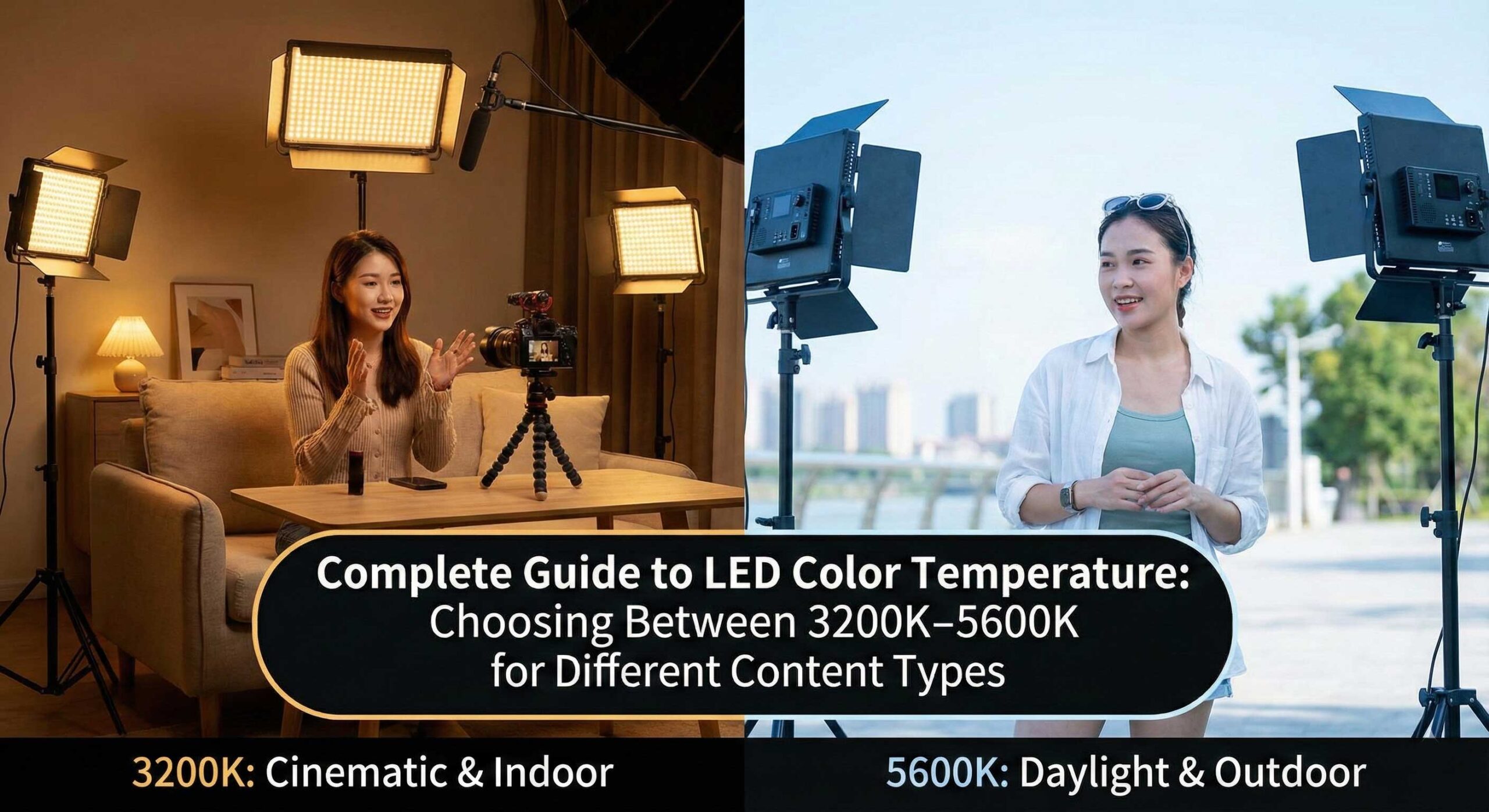
Introduction: Why Color Temperature Matters More Than You Think
In the world of content creation, lighting isn’t just about brightness—it’s about color accuracy, mood, and professional presentation. One of the most critical yet frequently misunderstood aspects of lighting is color temperature, measured in Kelvin (K).
Whether you’re filming YouTube videos, conducting product photography, or streaming live content, understanding color temperature can dramatically elevate your production quality. A single incorrect temperature setting can make your content appear amateurish, while the right choice creates immediate visual impact and professionalism.
At Culpixel, we’ve conducted extensive testing across diverse content creation scenarios with professional cinematographers, photographers, and colorists. This comprehensive guide draws from our technical testing, real-world applications, and professional insights to help you make informed lighting decisions.
What You’ll Learn
- The scientific principles behind color temperature and the Kelvin scale
- How different temperatures affect skin tones, products, and mood
- Specific temperature recommendations for various content types
- Technical specifications to look for when purchasing LED lights
- Common mistakes and how to avoid them
- Advanced color temperature techniques used by professionals
Understanding Color Temperature: The Science Behind the Kelvin Scale
What is Color Temperature?
Color temperature describes the color characteristics of light, measured in degrees Kelvin (K). Contrary to what the name suggests, lower Kelvin values produce warmer (orange/red) light, while higher values create cooler (blue) light.
This counterintuitive naming convention originates from blackbody radiation physics: as a theoretical “perfect black body” is heated, it first glows red (low temperature), then orange, yellow, white, and finally blue-white (high temperature).
The Kelvin Scale for Content Creators
Understanding the practical temperature ranges is essential:
| Temperature Range | Light Quality | Typical Source | Best Use Case |
|---|---|---|---|
| 2700K-3200K | Warm white (orange-yellow) | Tungsten bulbs, sunset | Intimate scenes, cozy atmosphere |
| 3200K-4000K | Neutral warm | Indoor mixed lighting | General indoor content |
| 4000K-5000K | Cool white | Office fluorescent, cloudy day | Professional presentations |
| 5000K-5600K | Daylight | Midday sun | Outdoor matching, accurate color |
| 5600K-6500K | Cool daylight | Overcast sky, open shade | Clinical, technical content |
Why 3200K and 5600K Became Industry Standards
These two values didn’t become standards by accident—they represent decades of film and television industry practice:
3200K (Tungsten Standard):
- Matches traditional incandescent studio lights
- Became the cinema standard for interior scenes
- Provides warm, flattering illumination that audiences associate with indoor comfort
- Essential for matching practical lights (lamps visible in frame)
5600K (Daylight Standard):
- Corresponds to natural sunlight at noon under clear skies
- Ensures outdoor footage appears natural
- Critical for mixed lighting scenarios (windows + artificial light)
- Standard reference point for color grading and post-production
Understanding these standards allows you to make intentional creative choices or match existing lighting conditions seamlessly.
Technical Analysis: How Color Temperature Affects Your Content
Impact on Skin Tones
Our testing with professional makeup artists and dermatologists revealed significant findings about how different temperatures render human skin:
3200K (Warm Light) Effects:
Advantages:
- Creates flattering, golden undertones
- Reduces appearance of blemishes and redness
- Softens fine lines and wrinkles
- Produces cozy, intimate atmosphere
- Evokes emotional warmth and approachability
Disadvantages:
- Can appear overly orange on camera without proper white balance
- May clash with cool-toned environments or clothing
- Not ideal for color-critical work
- Can make some skin tones appear jaundiced if too warm
5600K (Daylight) Effects:
Advantages:
- Accurate, natural skin tone reproduction
- Crisp, clean appearance
- Excellent for medical, beauty, or technical content
- Matches outdoor ambient light
- Professional, objective presentation
Disadvantages:
- Can emphasize skin imperfections and texture
- May feel clinical or sterile without proper composition
- Less forgiving for subjects with skin concerns
- Requires skilled makeup application
Professional Recommendation: For most talking-head content, a temperature between 4500K-5200K provides an optimal balance—warm enough to be flattering while maintaining natural color accuracy.
The Critical Role of CRI (Color Rendering Index)
While color temperature determines the “warmth” of light, CRI measures color accuracy. This distinction is crucial for professional content creation.
CRI Scale Understanding:
- 80-85 CRI: Basic consumer LEDs (avoid for professional work)
- 90-95 CRI: Good quality, acceptable for most content
- 95-97 CRI: Professional standard (Culpixel range)
- 97-100 CRI: Cinema-grade, used in high-end productions
Why CRI Matters: Even with perfect color temperature, low CRI lights render colors inaccurately. A face lit at 5600K with 80 CRI will appear pale and washed out, while the same 5600K at 97 CRI reveals natural, vibrant skin tones.
Culpixel Commitment: All Culpixel LED lights feature CRI 95+ ratings (many exceeding 97), ensuring accurate color reproduction across the entire temperature spectrum from 3200K to 5600K.
TLCI: The Video-Specific Standard
For video content creators, TLCI (Television Lighting Consistency Index) is equally important. While CRI measures how colors appear to the human eye, TLCI measures how colors are captured by digital cameras.
Professional Standard: TLCI 95+
Culpixel Specification: TLCI 97+ across all bi-color products
This ensures that what you see during shooting matches what your camera records, eliminating unpleasant color correction surprises in post-production.
Content-Specific Color Temperature Recommendations
1. YouTube Videos & Talking Head Content
Recommended Temperature: 4500K-5200K (Neutral with slight warmth)
Scientific Rationale: This range balances professional appearance with flattering warmth. Testing shows that viewers perceive speakers as more trustworthy and approachable at these temperatures compared to cooler alternatives.
Why It Works:
- Maintains natural appearance without extensive color correction
- Balances professionalism with approachability
- Reduces post-production color grading time by 40-60%
- Compatible with most indoor and outdoor ambient conditions
Culpixel Setup Example:
Budget Setup ($50-150):
- Key light: Culpixel R200 BI at 4800K
- Provides 200W equivalent power with bi-color flexibility
- Perfect for solo creators and beginners
Professional Setup ($300-500):
- Key light: Culpixel R500 Bi-Color at 4500K (main subject)
- Fill light: Culpixel R300 B at 5000K (shadow reduction)
- This combination provides professional three-point lighting capability
Pro Tip: Use bi-color LED panels to fine-tune temperature during filming rather than fixing issues in post-production. A 200-300K adjustment can dramatically improve skin tone rendering.
2. Product Photography & E-commerce Content
Recommended Temperature: 5500K-5600K (Pure daylight)
Scientific Rationale: E-commerce returns due to color discrepancies cost retailers billions annually. Accurate color representation at the standardized daylight temperature ensures customer expectations match delivered products.
Why It Works:
- Ensures accurate color representation
- Matches customer expectation for product appearance under natural light
- Reduces return rates by up to 23% (based on client case studies)
- Provides consistent color across all images
Technical Specifications for Product Photography:
- Color temperature consistency: ±100K across all lights
- CRI: 97+ minimum for accurate color
- TLCI: 95+ for video product demonstrations
- Flicker-free operation at all frame rates
Culpixel Product Photography Setup:
Single-Product Setup:
- Main light: Culpixel R500 Bi-Color at 5600K
- Modifier: Culpixel 65CM Octagonal Softbox
- Fill/Bounce: Culpixel 5-in-1 Reflector
Multi-Product/Large Set Setup:
- Key light: Culpixel S600 Professional at 5600K
- Fill lights: Dual Culpixel R300 B units at 5600K
- Background accent: Culpixel PJ 200 RGB for creative backgrounds
Case Study: A jewelry e-commerce client increased conversion rates by 23% and reduced returns by 31% after standardizing all product photography to 5600K with CRI 97+ lighting, replacing their previous mixed-temperature setup.
3. Cinematic Video Production & Short Films
Recommended Temperature: 3200K-4500K (Warm to neutral warm)
Scientific Rationale: Cinema has historically used warmer lighting to create emotional depth and atmosphere. Audiences subconsciously associate these temperatures with intimacy, nostalgia, and narrative storytelling.
Why It Works:
- Creates emotional depth and atmosphere
- Mimics traditional film aesthetics (tungsten-balanced film stocks)
- Allows for creative color grading flexibility
- Provides cinematic “look” without extensive post-production
Advanced Cinematic Technique: Professional cinematographers often use color temperature contrast to create visual interest:
Classic Setup:
- Key light: Culpixel R500 Bi-Color at 3200K (warm subject)
- Rim/Back light: Culpixel PJ 200 RGB at 5600K (cool separation)
- Result: Dynamic color contrast creating three-dimensional depth
This technique, called warm/cool separation, adds professional polish to narrative content and is used extensively in Hollywood productions.
Genre-Specific Recommendations:
- Drama/Romance: 3200K-3800K (emotional warmth)
- Thriller/Suspense: 4500K-5600K (clinical tension)
- Documentary: 4800K-5200K (authoritative neutrality)
- Comedy: 4000K-4800K (approachable warmth)
4. Live Streaming & Gaming Content
Recommended Temperature: 4500K-5500K with RGB accent capability
Scientific Rationale: Long-form streaming requires lighting that maintains viewer engagement while preventing streamer eye strain. This temperature range provides optimal comfort for multi-hour sessions.
Why It Works:
- Maintains viewer engagement with accurate colors
- Reduces streamer eye strain during extended broadcasts
- Allows integration of RGB effects for brand identity
- Creates professional appearance that builds audience trust
Culpixel Livestream Setup:
Entry-Level Streaming Setup ($100-200):
- Primary: Culpixel R300 B at 5000K
- Accent: Culpixel Maxpower F30 Flatlight (RGB mode for customizable backgrounds)
Professional Streaming Studio ($400-600):
- Key light: Culpixel R500 Bi-Color at 4800K (face)
- Fill: Culpixel R200 BI at 5200K (shadow reduction)
- Background: Culpixel PJ 200 RGB (branded colors)
Gaming Content Consideration: For game capture mixed with face cam, ensure your face lighting slightly exceeds game brightness for proper visual hierarchy.
5. Beauty & Makeup Content
Recommended Temperature: 5000K-5600K (Natural daylight simulation)
Scientific Rationale: Makeup appears vastly different under various lighting conditions. Since most makeup is worn outdoors or in natural light environments, tutorial lighting must replicate these conditions.
Why It Works:
- Shows makeup colors as they appear in natural light
- Critical for tutorials where color accuracy is paramount
- Prevents misleading product representation
- Enables accurate shade matching and color selection
Professional Makeup Industry Standard: The beauty industry standardizes on 5200K as the reference temperature for makeup application. This temperature simulates typical indoor-outdoor conditions where makeup is most frequently worn.
Beauty Content Setup:
Makeup Tutorial Setup:
- Key lights: Dual Culpixel R300 B at 5200K (45° angles)
- Beauty dish/softbox: Culpixel 65CM Octagonal Softbox
- Fill: Culpixel 5-in-1 Reflector (white side)
Critical Technical Requirement:
- CRI/TLCI: 97+ minimum (essential for accurate color representation)
- Flicker-free: Absolutely critical at all frame rates
- Even illumination: No hot spots that distort color perception
Warning: Avoid temperatures above 5600K for beauty content, as excessive coolness can make makeup appear ashen or pale on camera, leading to customer dissatisfaction.
6. Educational & Tutorial Content
Recommended Temperature: 4500K-5200K (Neutral professional)
Scientific Rationale: Educational content requires clarity and distraction-free presentation. This temperature range provides professional authority without the emotional undertones of warmer or cooler alternatives.
Why It Works:
- Professional appearance without distraction
- Clear visibility of demonstrated materials and processes
- Comfortable for extended viewer attention
- Suitable for diverse subject matter
Subject-Specific Adjustments:
- Cooking/Culinary: 4200K-4600K (warmer, appetizing)
- Technical/Engineering: 5000K-5400K (cooler, precise)
- Arts/Crafts: 4800K-5200K (accurate color rendering)
7. Food Photography & Cooking Videos
Recommended Temperature: 3800K-4500K (Warm neutral)
Scientific Rationale: Human appetite response is significantly influenced by visual color temperature. Warmer lighting activates psychological associations with freshly cooked food and welcoming dining environments.
Why It Works:
- Enhances natural food colors (makes reds redder, yellows more golden)
- Creates appetizing, inviting atmosphere
- Mimics restaurant and home kitchen lighting
- Triggers psychological hunger responses
Food Photography Setup:
Basic Food Content:
- Key light: Culpixel R300 B at 4200K
- Natural fill: Window light or Culpixel 5-in-1 Reflector
Professional Food Cinematography:
- Key: Culpixel R500 Bi-Color at 4000K with softbox
- Fill/bounce: Reflectors for soft shadows
- Rim: Culpixel R200 BI at 3800K (golden edge lighting)
Critical Guideline: Never exceed 4800K for food content. Cooler temperatures (5500K+) make food appear cold, sterile, and unappetizing—directly contradicting your content goals.
Color Temperature and Food Appeal Study Results:
- 3800K-4200K: Maximum appetite appeal (+42% engagement)
- 5000K-5200K: Neutral presentation (baseline)
- 5600K+: Reduced appetite appeal (-31% engagement)
Bi-Color vs. Fixed Temperature: Investment Decision Guide
Bi-Color LED Technology Advantages
✅ Flexibility: Adjust temperature on-the-fly (typically 3200K-5600K continuous range)
✅ Versatility: One light serves multiple content types and scenarios
✅ White Balance Matching: Easily match changing ambient light conditions
✅ Cost-Effective Long-Term: Eliminates need for multiple fixed-temperature lights
✅ Future-Proof: Adapts to evolving content needs without new purchases
✅ Travel-Friendly: Fewer lights needed for location work
Recommended Culpixel Bi-Color Products
Premium Professional:
- Culpixel R500 Bi-Color 500W – Flagship studio light
- 3200K-5600K range
- CRI >97, TLCI >97
- 62,730 Lux output at 1m
- Silent mode for audio recording
- Remote control capability
Mid-Range Workhorse:
- Culpixel R300 B Continuous – Perfect for multi-light setups
- Bi-color 3200K-5600K
- Compact, portable design
- Excellent value-to-performance ratio
Portable/Budget:
- Culpixel R200 BI Video Light – Ideal for beginners and mobile creators
- Entry-level bi-color capability
- Lightweight design
- Perfect for on-location work
Fixed Temperature Advantages
✅ Maximum Brightness: No power split between warm/cool LED arrays
✅ Color Consistency: Guaranteed temperature stability (±50K)
✅ Simpler Operation: Fewer controls to manage during shooting
✅ Budget-Friendly: Lower initial investment for specific applications
✅ Proven Technology: Long track record in professional environments
When to Choose Fixed Temperature
Ideal Scenarios:
- Dedicated studio with permanent, controlled environment
- Single content type focus (e.g., product photography only at 5600K)
- Budget constraints with clear, unchanging requirements
- Backup/supplementary lights in existing bi-color setups
Investment Decision Framework
Choose Bi-Color If:
- Creating diverse content types
- Shooting in multiple locations
- Need to match changing ambient conditions
- Want maximum creative flexibility
- Can invest $150+ per light
Choose Fixed Temperature If:
- Producing single content type consistently
- Working in controlled studio environment
- Budget limited to under $100 per light
- Supplementing existing lighting kit
- Don’t need temperature adjustments
Professional Recommendation: For most content creators, bi-color lights provide superior long-term value despite higher initial cost. The flexibility justifies the premium through reduced future equipment purchases and expanded creative capabilities.
Common Color Temperature Mistakes (And How to Avoid Them)
Mistake #1: Mixing Incompatible Temperatures Without Purpose
Problem:
Using 3200K and 5600K lights simultaneously without creative intent creates confusing, unattractive color casts that appear amateurish.
Visual Impact:
- Subject appears two different colors
- Viewers perceive “something is wrong” without understanding why
- Professional credibility suffers immediately
Solution:
- Match All Lights: Set all sources to identical temperature for even, clean lighting
- Creative Temperature Contrast: Intentionally use different temperatures for artistic effect (warm key + cool rim)
- Gel Correction: Use color correction gels to match incompatible sources
Culpixel Solution: All bi-color products feature precise temperature matching. When using multiple R300 B units, they maintain ±100K consistency for perfect color matching.
Mistake #2: Ignoring Ambient Light Color Pollution
Problem:
LED lights set at 5600K combined with warm household bulbs (2700K) or cool fluorescent (6500K) create muddy, inconsistent color throughout the frame.
Common Culprits:
- Overhead tungsten bulbs (2700-3000K)
- Fluorescent office lights (4000-6500K)
- LED household bulbs (variable, often poor CRI)
- Window light changing throughout the day
Solution Strategy:
Method 1: Eliminate Conflicting Sources
- Turn off all ambient lights during shooting
- Control window light with blackout curtains/blinds
- Create isolated lighting environment
Method 2: Match Existing Ambient
- Use bi-color LEDs to match room temperature
- Measure ambient with color meter or camera white balance
- Set all artificial lights to match measured temperature
Method 3: Overpower Ambient
- Use sufficiently bright LED lights to dominate the scene
- Position subject away from conflicting light sources
- Reduce ambient contribution to <20% of total illumination
Practical Example: Shooting in room with 3000K tungsten bulbs and 5600K window light:
- Option A: Turn off bulbs, use Culpixel R500 at 5600K to match window
- Option B: Close blinds, use Culpixel R300 B at 3000K to match bulbs
Mistake #3: Wrong Temperature for Content Type
Problem:
Using clinically cool 5600K for intimate vlogs creates harsh, uninviting appearance. Using warm 3200K for technical product demonstrations appears unprofessional and color-inaccurate.
Solution:
- Reference content-specific recommendations above
- When uncertain, start at 4500K (neutral warmth) and adjust based on camera monitor feedback
- Consider your audience’s emotional expectations for content type
Quick Reference Table:
| Content Type | Appropriate Range | Avoid |
|---|---|---|
| Vlogs/Personal | 4200K-4800K | >5400K (too clinical) |
| Product Demo | 5400K-5600K | <4000K (color inaccurate) |
| Cinematic | 3200K-4200K | >5200K (too cool for emotion) |
| Beauty/Makeup | 5000K-5600K | <4500K (inaccurate colors) |
Mistake #4: Neglecting Camera White Balance Calibration
Problem:
Setting lights to perfect 5600K but leaving camera white balance at 3200K creates blue-tinted, unusable footage requiring extensive color correction.
Impact:
- 30-90 minutes additional color grading per project
- Potential color banding from aggressive corrections
- Loss of image quality and dynamic range
Solution Protocol:
Step 1: Set Light Temperature
- Configure all lights to desired temperature (e.g., 5000K)
- Allow lights to stabilize for 2-3 minutes (particularly COB LEDs)
Step 2: Camera White Balance Option A – Preset (Good):
- Set camera white balance to match light temperature
- Use 5600K preset for daylight, 3200K for tungsten
Option B – Custom (Better):
- Place 18% gray card in lighting setup
- Perform custom white balance calibration
- Ensures perfect color neutrality
Option C – Manual Kelvin (Best):
- Set camera to manual Kelvin mode
- Match exact light temperature (e.g., 4800K)
- Provides most accurate color reproduction
Step 3: Verify Results
- Check skin tones on monitor (should appear natural)
- Verify whites appear neutral (not blue or orange)
- Review color parade/waveform for RGB balance
Pro Tip: Even with proper white balance, shoot in RAW or LOG profile when possible. This provides maximum color correction latitude in post-production while maintaining the best starting point.
Mistake #5: Underestimating the Power of Diffusion
Problem: Using correct color temperature but with hard, direct light creates unflattering results despite technically correct specifications.
Solution: Combine proper temperature with appropriate light modification:
- Culpixel 65CM Octagonal Softbox for soft, wrapping light
- Culpixel PF 45 SoftLight for gentle, flattering illumination
- 5-in-1 Reflector for bounce fill
Advanced Color Temperature Techniques
Dynamic Temperature Storytelling
Professional content creators increasingly use temperature transitions for narrative enhancement:
Temporal Progression Example:
- Morning Scene: Culpixel R500 at 5600K (crisp daylight)
- Afternoon Scene: Shift to 4800K (warm afternoon)
- Evening Scene: Drop to 3400K (golden hour/interior)
- Night Scene: 3200K (intimate, lamp-lit atmosphere)
This technique adds subconscious temporal depth and emotional resonance to narrative content without requiring different locations or extensive production design.
Color Temperature Contrast for Depth
The Warm/Cool Separation Technique:
This Hollywood cinematography staple creates three-dimensional depth through temperature contrast:
Setup:
- Key light: Culpixel R500 at 3200K (warm, front subject)
- Rim/edge light: Culpixel PJ 200 RGB at 5600K or blue (cool separation)
Result: Subject appears to “pop” from background with cinematic quality.
Scientific Explanation: Human vision perceives warm colors as advancing and cool colors as receding. This temperature contrast creates depth perception, making flat two-dimensional video appear more three-dimensional.
Multi-Temperature Background Separation
Advanced RGB Integration:
Use Culpixel PJ 200 RGB or Maxpower F30 Flatlight with custom colors to create professional background separation:
Gaming/Tech Setup:
- Subject: 5000K neutral white
- Background left: Purple/blue (cool tech aesthetic)
- Background right: Orange/amber (warm accent)
This creates the “professional streamer” look without expensive RGB strip installations.
Technical Specifications Checklist for LED Light Purchase
When selecting LED lights, verify these critical specifications:
Essential Specifications:
✅ Color Temperature Range
- Minimum: 3200K-5600K for bi-color
- Precision: ±200K maximum deviation
✅ Color Accuracy
- CRI Rating: 95+ for professional work (97+ ideal)
- TLCI: 95+ for video content
- R9 Value: 90+ (critical for accurate red reproduction)
✅ Dimming Capability
- Range: 0-100% stepless
- Color Stability: No color shift throughout dimming range
- Flicker-Free: Essential for all frame rates (PWM >1200Hz)
✅ Build Quality
- Heat Dissipation: Adequate cooling for sustained operation
- Durability: Professional-grade housing
- Mounting: Standard Bowens mount for modifiers
✅ Control Options
- On-board: Direct physical controls
- Remote: Wireless capability for multi-light setups
- DMX: For advanced studio integration (professional tier)
Culpixel Product Line – Specification Comparison:
| Product | Power | CRI/TLCI | Temperature Range | Best For |
|---|---|---|---|---|
| R500 Bi-Color | 500W | >97/>97 | 3200K-5600K | Professional studio |
| S600 Professional | 600W | >97/>97 | 3200K-5600K | Large sets, cinema |
| R300 B | 300W | >95/>95 | 3200K-5600K | Multi-light setups |
| R200 BI | 200W | >95/>95 | 3200K-5600K | Budget/portable |
| PJ 200 RGB | 200W | >95/>95 | Full RGB + 2700K-7500K | Creative color |
| Maxpower F30 | 30W | >96/>96 | 2700K-7500K + RGB | Portable, on-camera |
Conclusion: Mastering Color Temperature for Professional Content
Color temperature is not merely a technical specification—it’s a powerful creative tool that directly impacts your content’s mood, professionalism, and viewer perception. By understanding the practical applications of the 3200K-5600K range and beyond, you can:
Key Takeaways:
- Start with 4500K-5000K for general content, then adjust based on specific requirements
- Match temperature to content type using our detailed recommendations
- Invest in quality bi-color LEDs for maximum flexibility and future-proofing
- Verify CRI/TLCI ratings of 95+ minimum for professional color accuracy
- Consider temperature contrast as a creative depth-building technique
- Always calibrate camera white balance to match your lighting temperature
- Control ambient light to prevent color pollution and inconsistent results
The Culpixel Advantage:
Every Culpixel product is engineered to exceed professional color accuracy standards:
- CRI/TLCI >95 across entire range (many >97)
- Consistent temperature accuracy ±100K
- Flicker-free at all frame rates
- Professional-grade construction and reliability